Stock Info
The Stock Info page (sidebar: Resource Planning → Stock Info) shows, for one station, the fuel levels reported on a given day and the fuel deliveries recorded so far. The page is for viewing only.
You need the Stock Info permission. Your company's administrator assigns permissions in User Management.
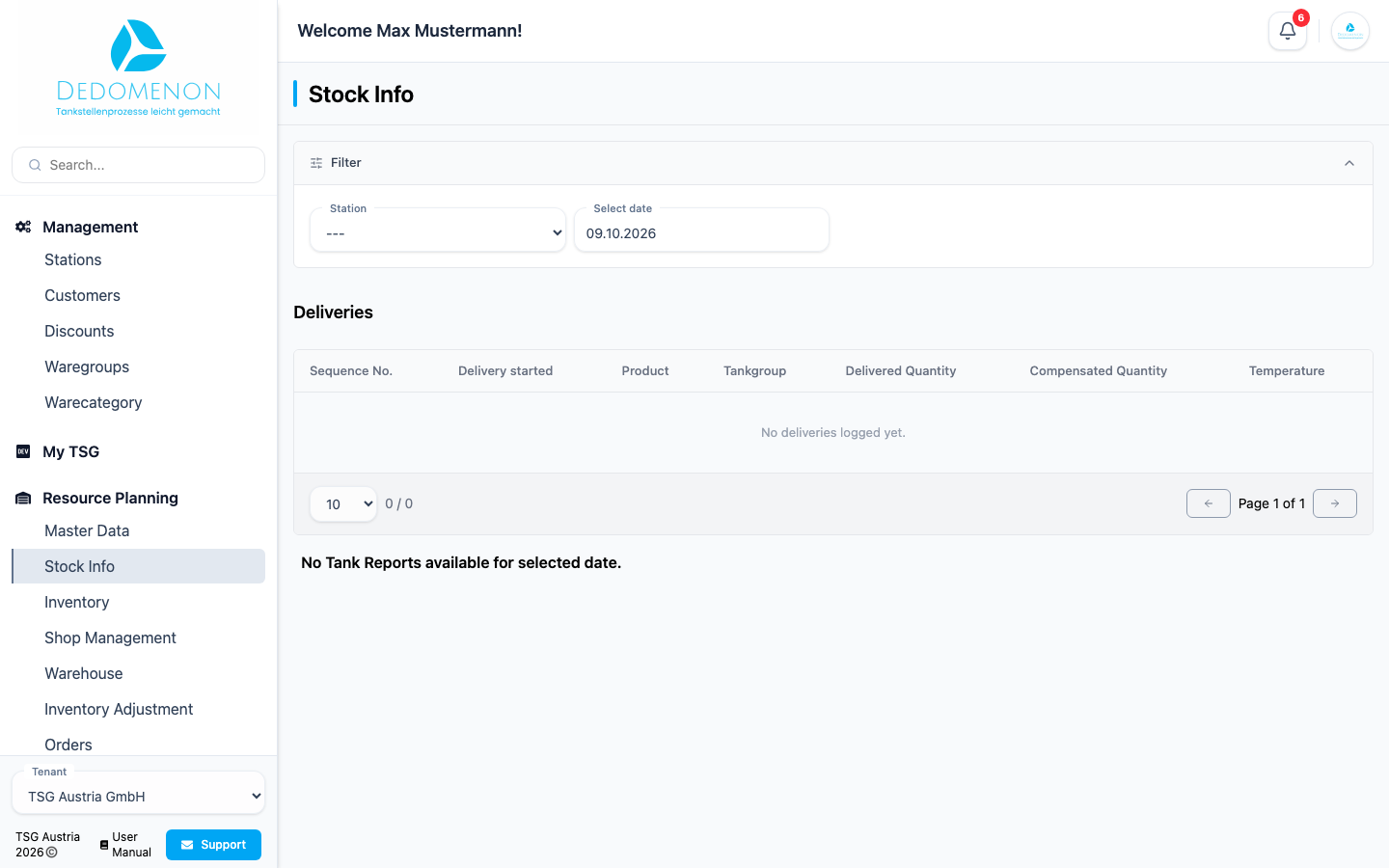
Select station and date
- In the filter at the top, choose the Station.
- Choose the day under Select date. Today's date is preselected.
As long as no station is selected, the deliveries stay empty and "No Tank Reports available for selected date." appears. Station and date are part of the browser address; if you bookmark the page or share the link, the same selection opens.
Deliveries
The Deliveries section lists all recorded deliveries of the selected station (regardless of the selected date). Click a column heading to sort the table.
| Column | Meaning |
|---|---|
| Sequence No. | running number of the delivery |
| Delivery started | start of the delivery (date and time) |
| Product | delivered product |
| Tankgroup | tank group that was filled |
| Delivered Quantity | delivered quantity in litres |
| Compensated Quantity | temperature-compensated quantity in litres |
| Temperature | temperature in °C |
If there are no deliveries yet, "No deliveries logged yet." appears.
Fuel level reports
Below, there is one Fuel level report section per report of the selected day, with the time of the report. If there are several reports on the same day, the newest is shown first. If there is no report for the day, "No Tank Reports available for selected date." appears; if a report contains no tank data, "No Tank Data available for this report." appears.
Each tank with a product is shown as a card titled tank <number> - <product>. The round gauge shows the fill level as a percentage of the capacity and in litres. Its colour depends on the level: up to 20% it is red, up to 50% orange, above that green.
| Item | Meaning |
|---|---|
| Tank hight | Fill height of the product in mm |
| Capacity | Capacity of the tank in litres |
| Prizma Stock | Stock according to Prizma in litres |
| Prizma Stock (comp.) | Temperature-compensated stock according to Prizma |
| Gauge Stock | Stock according to the tank gauge in litres |
| Gauge Stock (comp.) | Temperature-compensated stock according to the tank gauge |
| Temperature | Product temperature in °C |
| Temperature (comp.) | Compensated temperature in °C |
Prizma is the station's POS system; Prizma Stock is the tank stock the POS calculates from deliveries and sales. Gauge Stock is the stock measured by the tank level gauge in the tank. Both exist uncompensated and temperature-compensated ("comp."). Differences between the two can point to measurement differences, losses or unbooked deliveries.
Items without a value (or with the value 0) are not shown.
See also: Inventory for counting and booking stock.