Profile and Language
On the profile page you see your user details, set the language and change your password. Open it via the tenant logo in the top right corner and Profile Page.
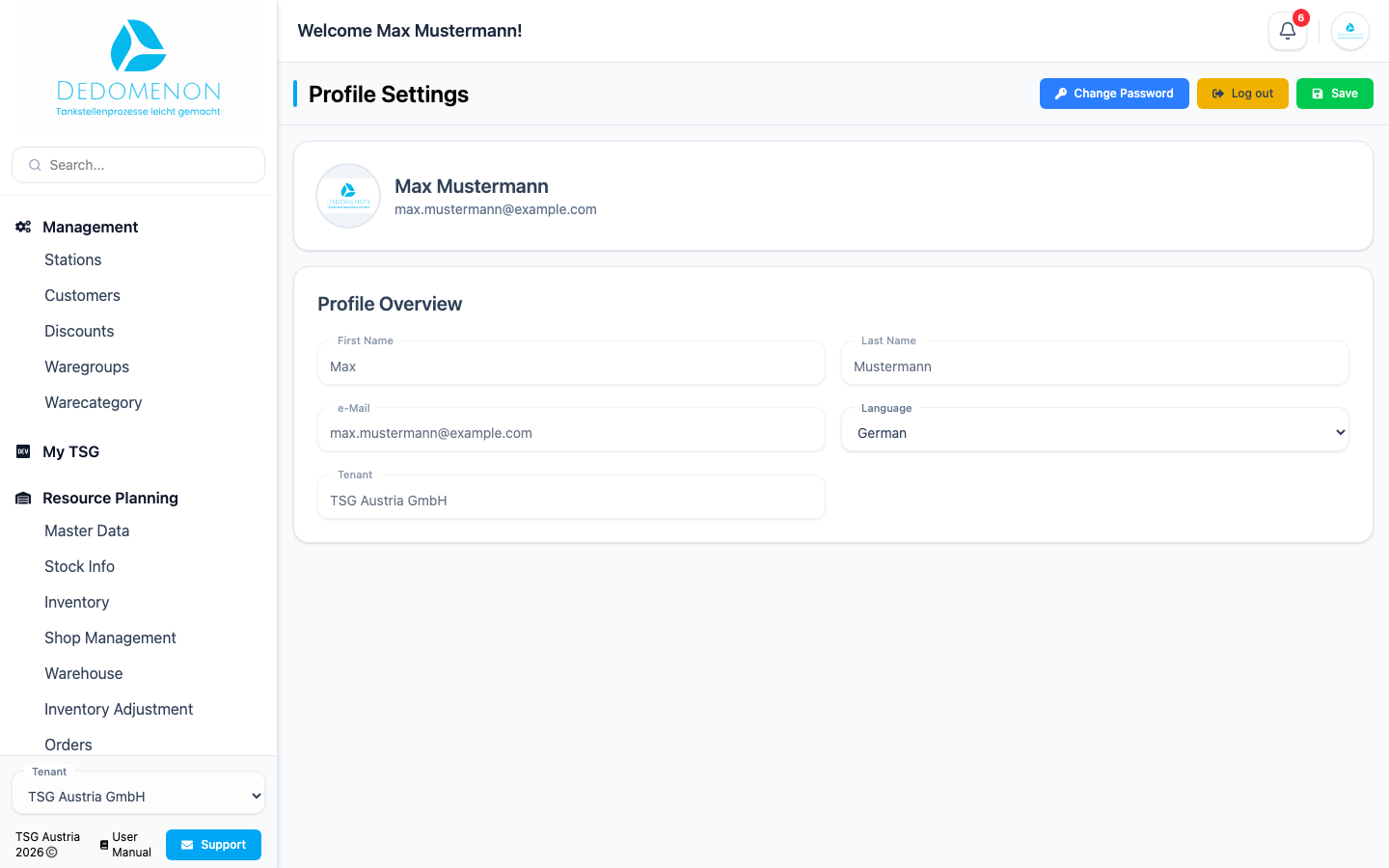
Profile overview
| Field | Meaning |
|---|---|
| First Name, Last Name, e-Mail | Your user details. Only an administrator can change them |
| Language | Language of the user interface |
| Tenant | The company you are currently working in |
Changing the language
Dedomenon is available in German, English, Croatian, Romanian, Slovenian and Turkish.
- Select the language in the Language field.
- Click Save.
The interface switches to the selected language immediately. The setting is kept for your next sign-in.
Changing your password
- Click Change Password.
- In the dialog, enter your old password, your new password and confirm the new password.
- Click Save.
The new password applies from your next sign-in.