EControl Automatic Pricing
On this page (sidebar: Pricing → EControl Automatic Pricing) you set up the automatic pricing of a station in one clear place: you choose the pricing mode, search competitors as reference stations and link your articles to their cheapest price. The basic rules of automatic pricing and the weekly calendar are described on the Auto Pricing page.
The page appears only if automatic pricing for Austria is enabled for your tenant. You also need the permission Auto Pricing E-Control, which the administrator of your company assigns under Settings → User Management (see User management).
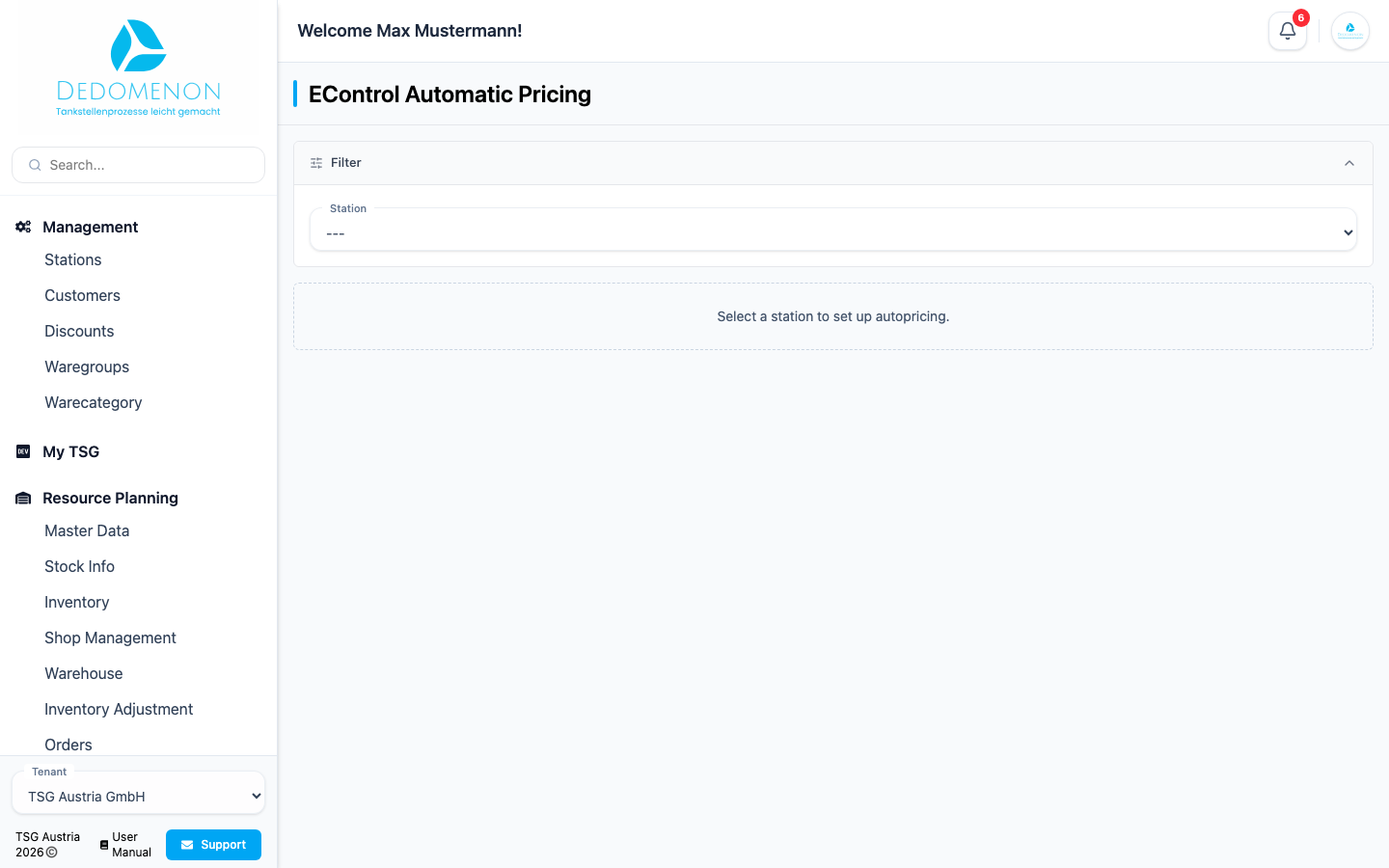
Selecting a station
- In the Station field, select the station you want. Stations with automatic pricing switched on carry the suffix "· active".
- If automatic pricing has not been set up for the station yet, the message "Autopricing has not been set up for this station yet." appears. Click Set up autopricing.
At the top of the station you see its name, the terminal number (Terminal <number>), the state Active or Inactive and the button Activate or Deactivate. There is no confirmation prompt. As long as a station is active, Dedomenon checks every 10 minutes whether a price has to be changed.
Saving and discarding
Pricing mode and linked articles are a draft at first. As soon as you change something, Unsaved changes appears in the page header and the buttons become available:
- Save saves the pricing mode and the linked articles. A message confirms "Changes saved!" or reports "Error while saving!".
- Discard resets the draft to the saved state.
Reference stations, by contrast, are saved immediately when you add or remove one.
Pricing mode
With the three options under Price mode you decide how prices are determined. Under the heading you see the description of the selected mode.
| Mode | Behavior |
|---|---|
| Fixed price | At noon to the fixed maximum price for diesel and super, otherwise a decrease to the cheapest reference down to the minimum price. You make these settings on the Auto Pricing page. |
| Per article | At noon an increase by an amount in cents per article, lowering as with the fixed price. At noon the price of each active fuel article is raised by a cent amount set per article. You currently cannot set this amount in Dedomenon itself; TSG support sets it up on request (see Support). |
| Linked to reference | Linked articles follow the cheapest reference price plus a difference, downwards only. At noon an increase by an amount in cents per article. The weekly calendar still applies. |
The weekly calendar, that is, the days on which price increases and decreases are allowed, is set for all modes on the Auto Pricing page. If nothing is allowed for a day there, automatic pricing changes nothing on that day.
Reference stations
Reference stations are competitors whose cheapest price is the basis for the decrease. Without a reference station, no price is lowered.
The table shows each reference station with name and address and the current prices for Diesel and Super. The lowest price per fuel is marked cheapest. Above the table it says E-Control prices – as of … with a refresh icon. The prices reload on their own every 10 minutes as long as the page is open.
Adding a competitor
- Click Add station (or, if there is no reference yet, Search competitors).
- Under City, pick a place from the list (shown as city and district). If you leave the field empty, you see the 10 cheapest stations in Austria.
- Under Sort by, choose Diesel or Super.
- In the result list, click Add at the station you want. Stations already taken over show Added.
- Close the search with the X icon.
The new reference station is saved immediately and is active.
Removing a reference station
The trash icon Remove as reference deactivates the reference station. There is no confirmation prompt, and the change is saved immediately. You can add the station again later through the search.
Linked articles
A linked article follows the cheapest reference price plus your difference. The link takes effect only in the pricing mode Linked to reference; in the other modes a message points this out.
Above the table the page shows the cheapest reference prices for diesel and super with the station they come from. Next to it, Station prices – as of … with a refresh icon fetches the prices directly from the station. If the station cannot be reached, "Station not reachable – the most recently saved prices are shown." appears. If the stored prices are older than 30 minutes, "(outdated)" is added. Automatic pricing reads the prices directly from the station on every run.
Click Link article to add a row. Each row has these columns:
| Column | Meaning |
|---|---|
| Article | Your article (only articles with a current price; each article can be linked only once) |
| Follows | Reference fuel the article follows: Diesel or Super |
| Difference | Surcharge or discount to the cheapest reference price in cents (negative values are possible) |
| Noon (input, with "+") | Increase in cents that is added to the current price at noon |
| Current | current price of the article at the station |
| Target | cheapest reference price plus difference |
| Noon (display) | current price plus increase |
| Status | see below |
| Actions | trash icon Remove link |
The Status of a row is:
| Status | Meaning |
|---|---|
| Article missing | No article has been selected yet. Such rows are not saved. |
| No current price | There is no price for the article. It is skipped. |
| No reference price | There is no reference price for the fuel. |
| Will be lowered | The target price is below the current price. |
| Unchanged | The target price is not lower than the current price. |
This is how linked articles work in the mode Linked to reference:
- On days when a price decrease is allowed, the article is lowered to the target price outside of 12:00 to 12:30 if that is lower than the current price. Prices are never raised above the reference.
- On days when a price increase is allowed, the Noon increase is added to the current price once a day between 12:00 and 12:30 (only for an increase greater than 0).
- Prices are rounded to three decimal places.
Remove link deletes the row from the draft without a confirmation prompt. It is saved only with Save in the page header.
What happens after a change
Automatic pricing sends prices directly to the station. You can see the changes in the Price Change Journal (see Wetstock Pricing); no messages are created under Activities. If E-Control is set up (Settings → E-Control), Dedomenon automatically reports successfully transferred diesel and super prices of a station to E-Control (fuel price calculator). The E-Control page explains the credentials and the assignment of stations.
Prices are changed automatically on every run. After setting up, check the weekdays in the calendar and the price limits before you activate a station.