E-Control
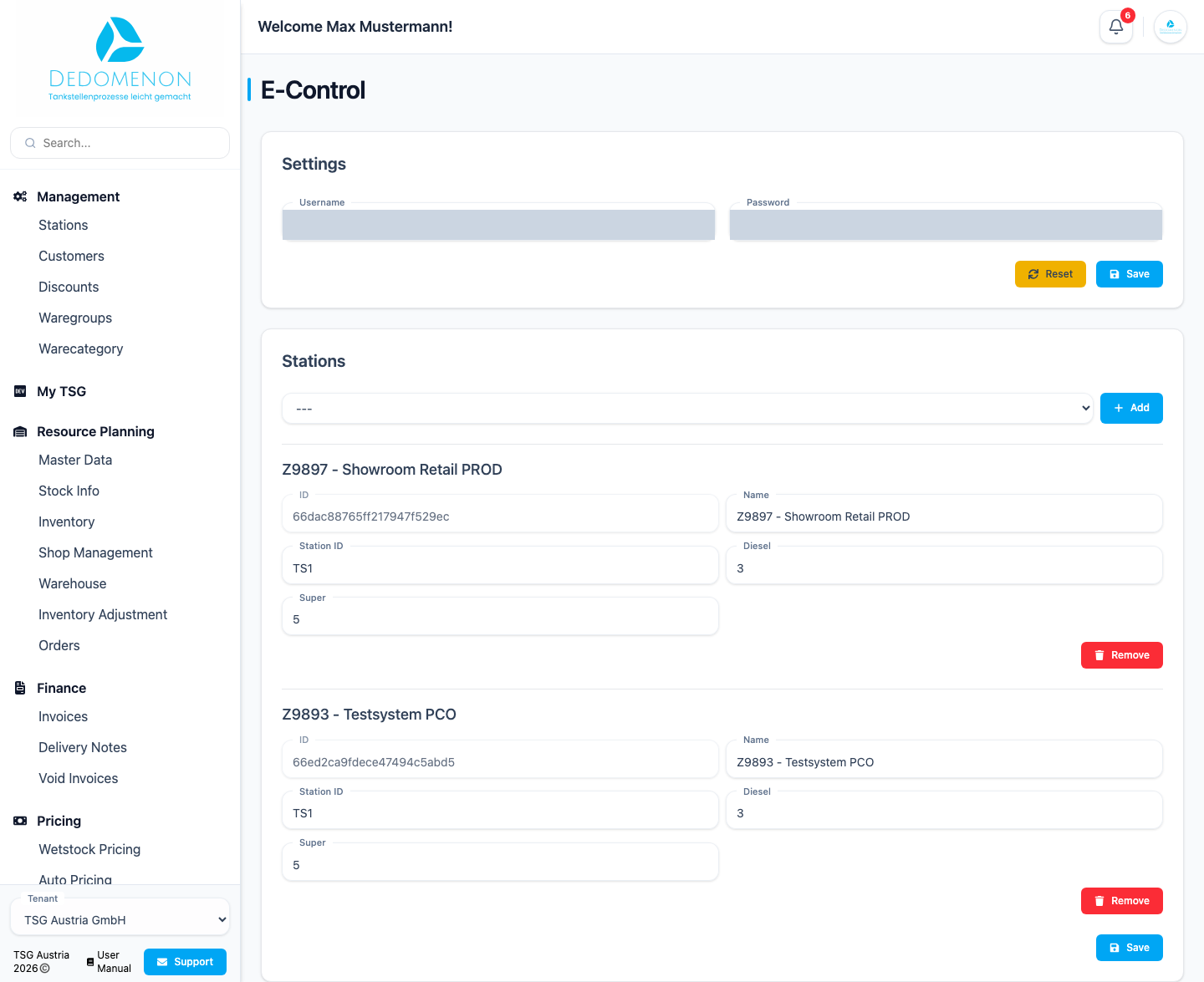
Petrol stations in Austria must report price changes for diesel and super to the E-Control fuel price calculator. Once E-Control is set up, Dedomenon takes care of this reporting automatically: as soon as a price change has been transferred to a station successfully, Dedomenon reports the new diesel and super prices of this station to E-Control.
Open Settings → E-Control. You need the E-Control permission for this.
The E-Control menu item is only visible if the feature is enabled for your tenant.
First-time setup
If there are no E-Control settings for your tenant yet, the page only shows the message "No E-Control settings found". Click Create new settings. The Settings and Stations sections then appear.
Credentials
In the Settings section you enter the credentials you received from E-Control for price reporting.
- Enter Username and Password.
- Click Save.
A message above the form shows whether saving worked. Reset discards your changes that have not been saved yet.
Assigning stations
Only stations entered here are reported to E-Control.
- In the Stations section, select a station from the list.
- Click Add. A new block appears for the station.
- Fill in the fields (see table).
- Click Save at the bottom. A notice confirms that the data was saved.
| Field | Meaning |
|---|---|
| ID | Internal identifier of the station in Dedomenon (cannot be changed) |
| Name | Name of the station |
| Station ID | Identifier of the petrol station at E-Control |
| Diesel | Number under which the station carries diesel |
| Super | Number under which the station carries super |
With Remove you take a station off the list. The change only takes effect with Save.
Credentials and stations are saved separately. After making changes, click the Save button of the respective section.
Always select a station first before you click Add. Stations that are already saved no longer appear in the selection list.
For automatic pricing based on E-Control data, see E-Control Auto Pricing.